

Part 1: Basic Synthesis: Material Gathering and Crafting Steps
Bookshelf crafting follows the fixed recipe of “6 Planks + 3 Books“. First, you need to obtain wood—chop down trees to get logs, each of which can be crafted into 4 planks in a crafting table. Any wood type like oak or spruce can be used. Next is book crafting: each book requires 3 Paper and 1 Leather. Paper is crafted from sugar cane (3 sugar cane yield 3 paper), while leather is obtained by killing animals like cows or horses. Establishing an animal farm is recommended for a stable supply. When crafting on a crafting table, place the 6 planks in the top and bottom rows, and neatly place the 3 books in the middle row.
Part 2: Advanced Material Acquisition Techniques
- Efficient Logging Plan: Jungle biomes allow for rapid acquisition of large amounts of wood. Pair this with an Efficiency-enchanted axe to increase collection speed.
- Automated Sugar Cane Farm: Cultivate farmland along rivers or water bodies, and use a piston and redstone mechanism to achieve automatic harvesting.
- Leather Mass-Production Method: Build an animal farm with feeding and breeding functions. Using the Looting enchantment can increase leather drop rates.
- Alternative Acquisition Methods: Village libraries typically contain 7-14 ready-made bookshelves. Stronghold libraries can hold up to 224 bookshelves available for collection.
Part 3: Core Functions of Bookshelves
1. Enchantment Enhancement System
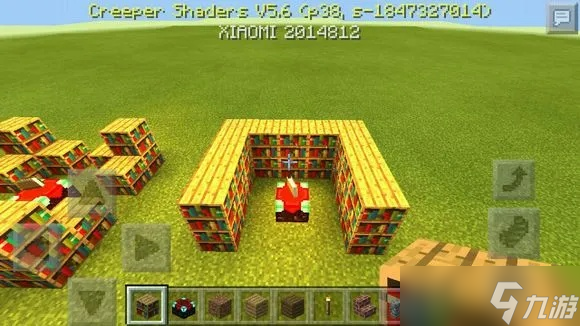
The primary function of bookshelves is to increase the level of an enchantment table. When placed within a 5×5 area centered around the enchantment table, each bookshelf boosts the available enchantment level, with a maximum of 15 bookshelves required to reach the level 30 enchantment cap. Note: the immediate 3×3 area around the enchantment table must remain empty (no torches or other blocks), or it will block the enchantment effect.
2. Redstone Signal Application
After the 1.20 update, bookshelves can interact with redstone comparators—outputting a signal strength of 1-6 based on the position of the last interacted bookshelf, providing new ideas for contraption design.
3. Multifunctional Uses
- Serve as decorative blocks for creating library or study scenes.
- Each bookshelf can act as furnace fuel, burning for 1.5 items.
- Combine with lecterns to create storytelling scenes.
Part 4: Solutions to Common Problems
- Q: Why do bookshelves only drop books when broken?
A: Normally, breaking a bookshelf drops 3 books. You need the Silk Touch enchantment to obtain the complete bookshelf block. - Q: How to quickly set up a max-level enchanting system?
A: Prepare materials for at least 15 bookshelves (90 planks + 45 leather + 135 sugar cane). Arrange them in a square or rectangle around the enchantment table, ensuring no obstructions block the path. - Q: Besides crafting, what other ways are there to obtain bookshelves?
A: Trade with villagers—Librarian villagers often trade bookshelves for 3-4 emeralds. Establishing an automatic crop farm is recommended for a stable emerald supply.
Part 5: Version Update Notes
As of the latest version (referenced as September 2025), the bookshelf crafting recipe remains stable. However, note:
- After version 1.14, village structures were reset, making library locations more standardized.
- Version 1.20 added book storage functionality; bookshelves can now hold up to 6 books (including enchanted books).
- Future updates may adjust the redstone signal mechanics, so it’s advised to keep an eye on official patch notes.
By systematically mastering material collection, crafting recipes, and functional applications, players can not only efficiently build enchanting systems but also deeply experience automated production and architectural aesthetics within the game. It is recommended for beginners to practice bookshelf layouts in Creative mode before implementing material planning in Survival mode.


